
Know your stock, sales and money without opening a register.
Orders, warehouse, deliveries and accounts in one system, so you always know what you have and who owes you.
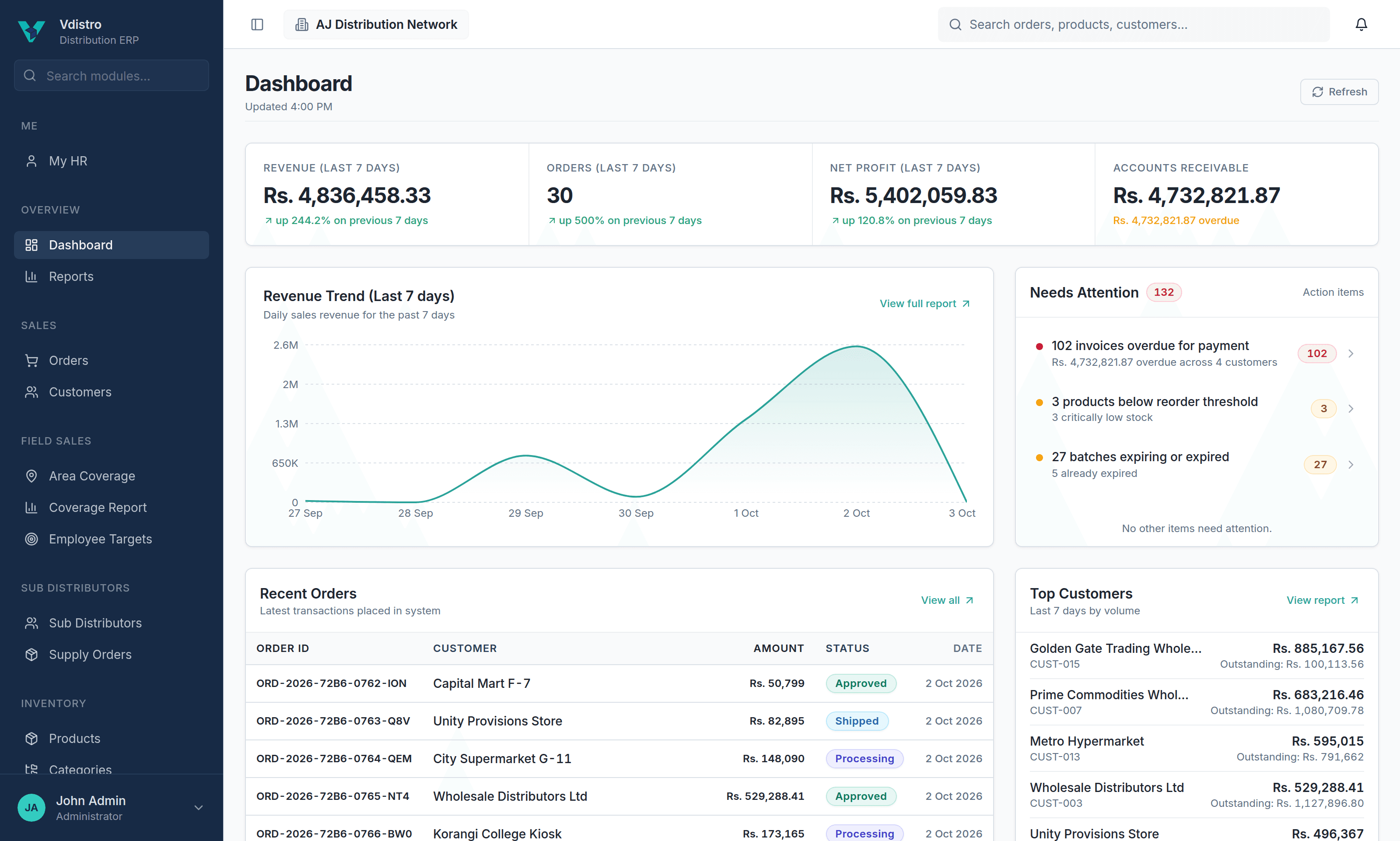
The problems Vdistro takes off your desk.
Distribution runs on stock, credit and people on the road. These are the gaps that cost owners time and money, and how Vdistro closes them.
The stock register never matches the godown.
Every order, delivery, return and purchase moves stock by itself, down to batch and expiry date.
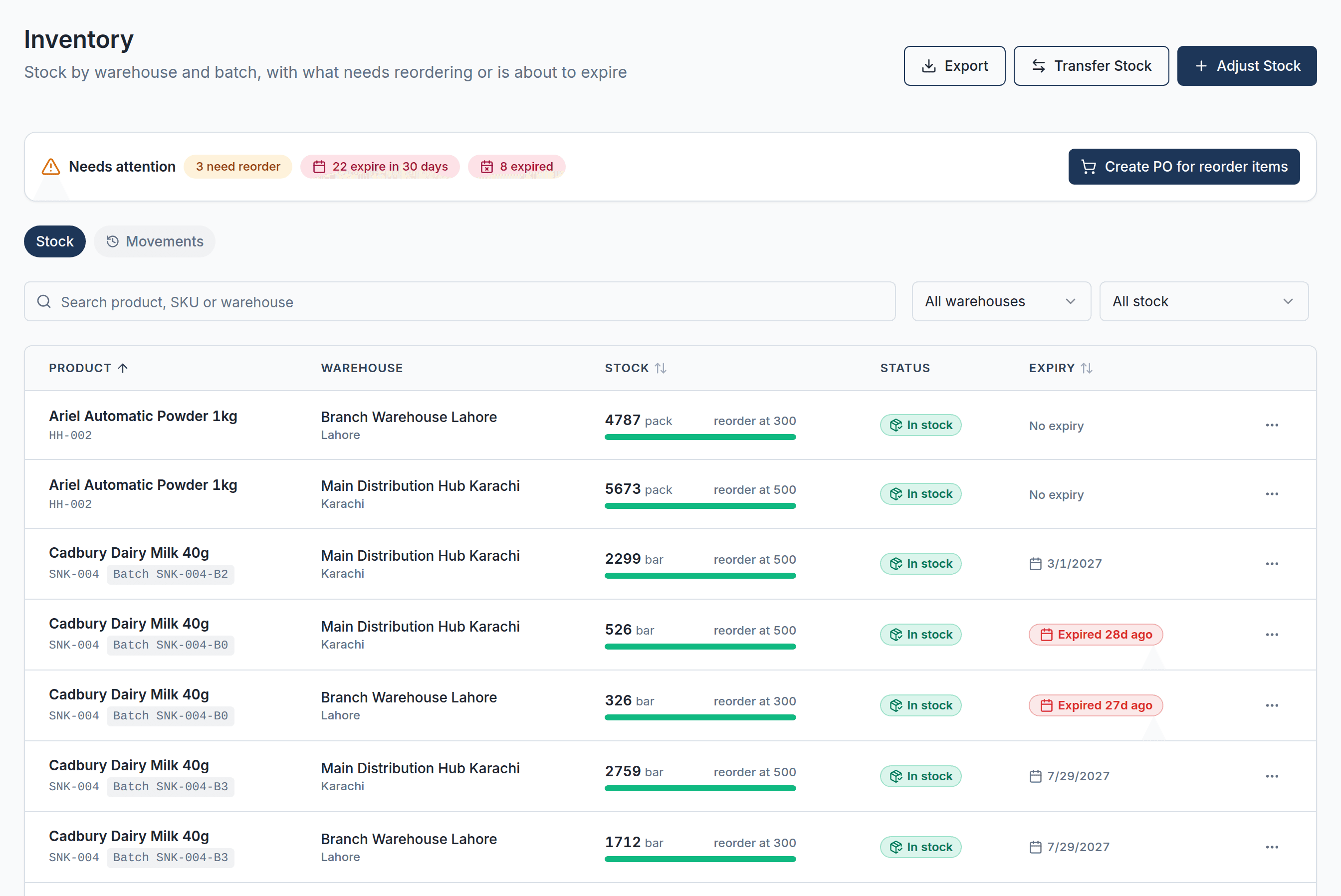
- See what is on the shelf and what is already promised
- Earliest expiry goes out first; expired stock cannot be sold
- Move stock between warehouses in one step
Money is stuck with customers, and nobody knows how much.
See who owes what and for how long. Credit limits warn the booker and stop approval when a customer is over.
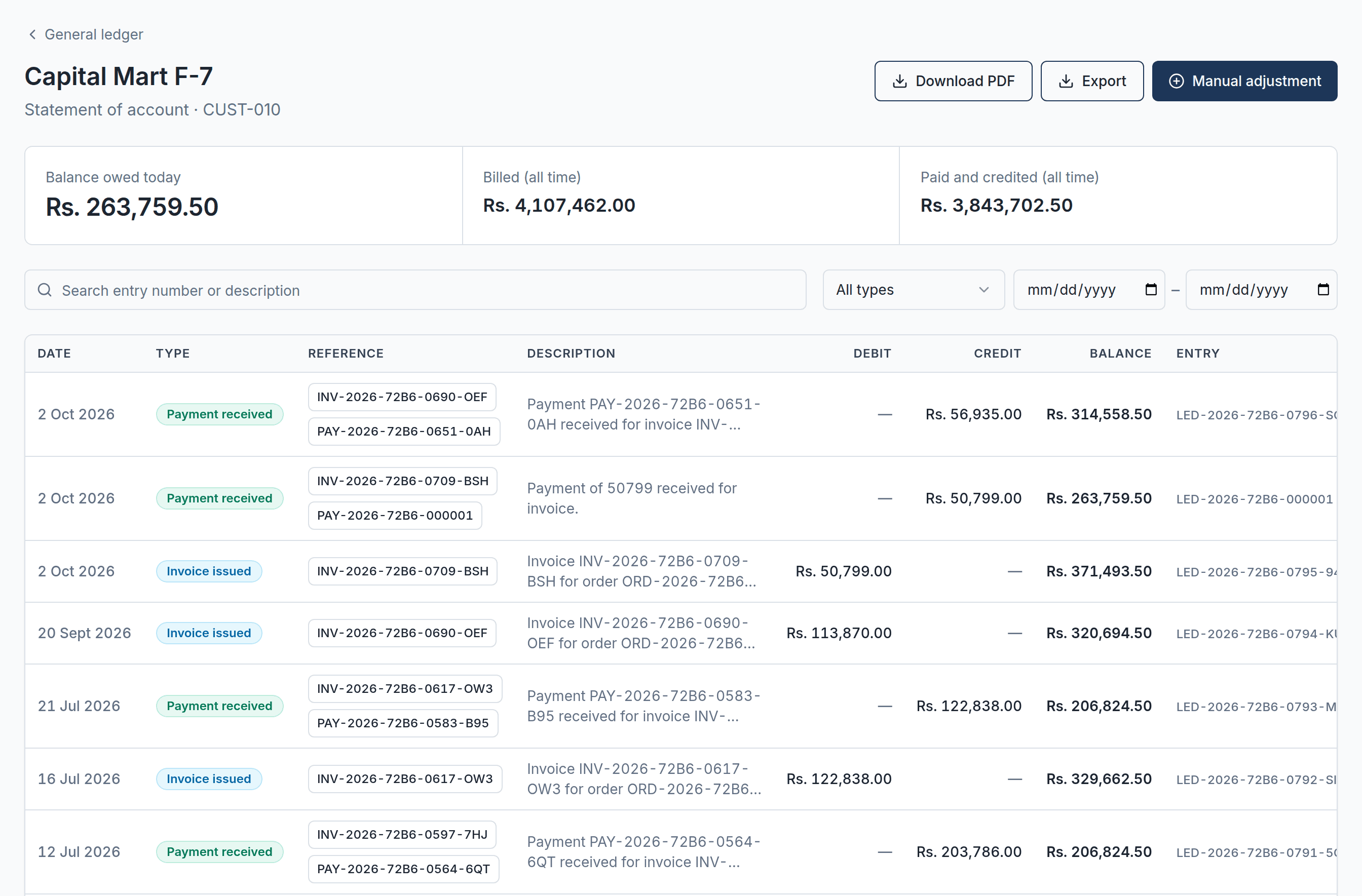
- Overdue invoices waiting on your dashboard
- A statement with aging for every customer
- Each payment settles the invoice it belongs to
Bookers skip routes, and you find out a week later.
Each area has its visiting day. Vdistro plans the week, shows what was covered, and lets you hand an absent booker's route to someone else.
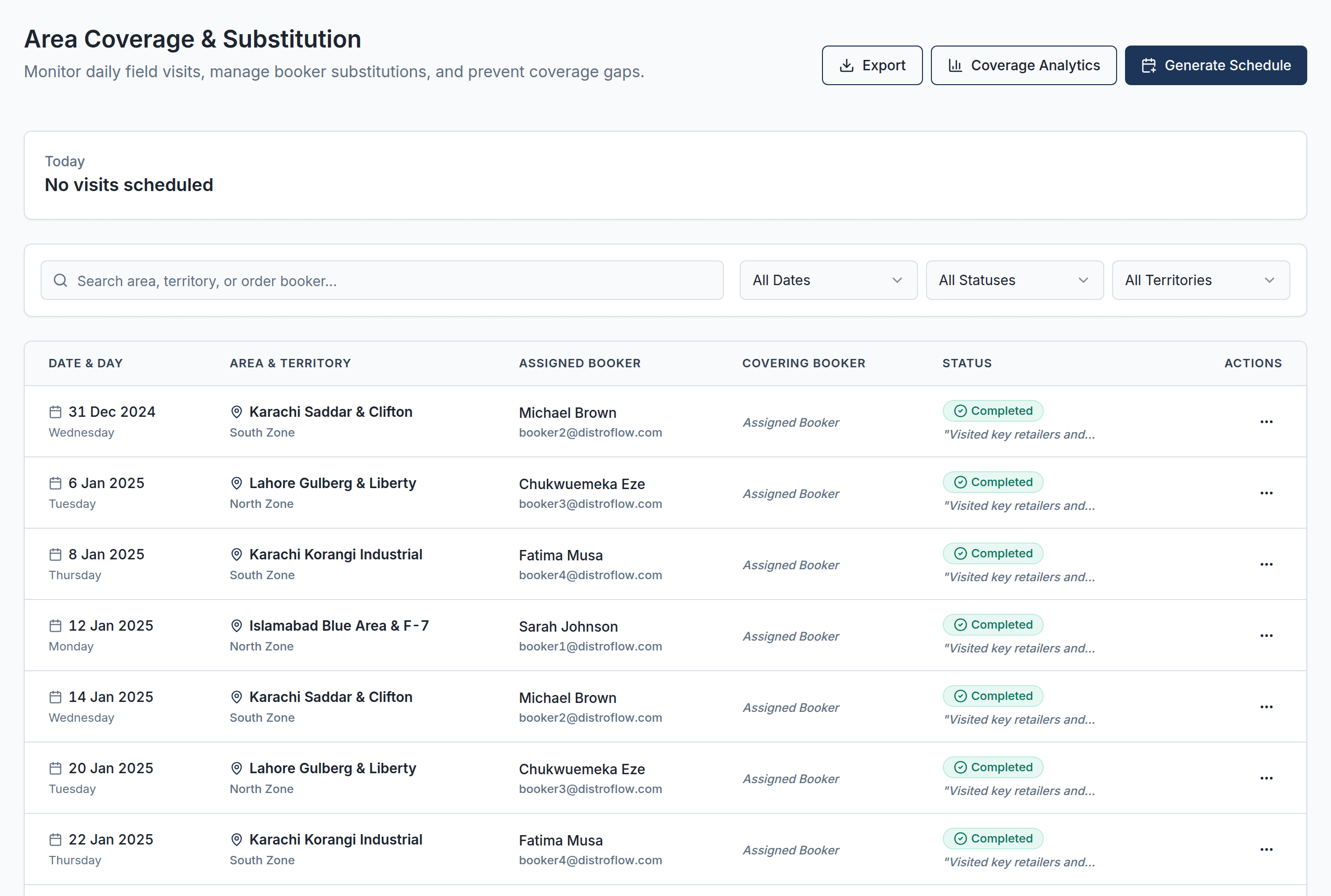
- Today's route on the booker's phone
- Coverage for every area
- Monthly targets with progress
Trucks come back with returns and cash, and the books fall behind.
Put orders on a trip with a driver and vehicle. Record what was delivered or returned; returns go back into stock and payments settle the invoice.
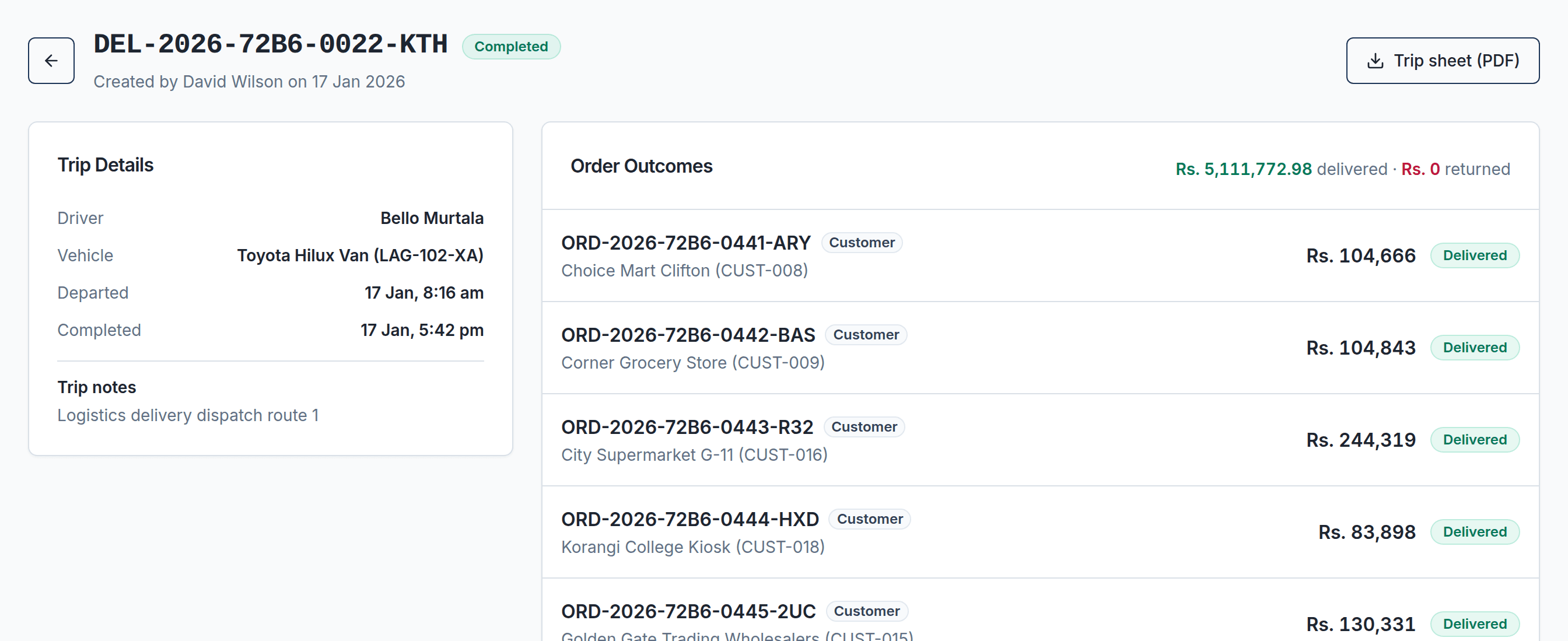
- Trip sheet PDF with signature lines
- Stock leaves the warehouse when the truck does
- Customer balance updates on delivery
Month-end takes a week of registers and calculators.
Sales, expenses and payroll post to the books as you work, so month-end is a report you open, not a job you do.
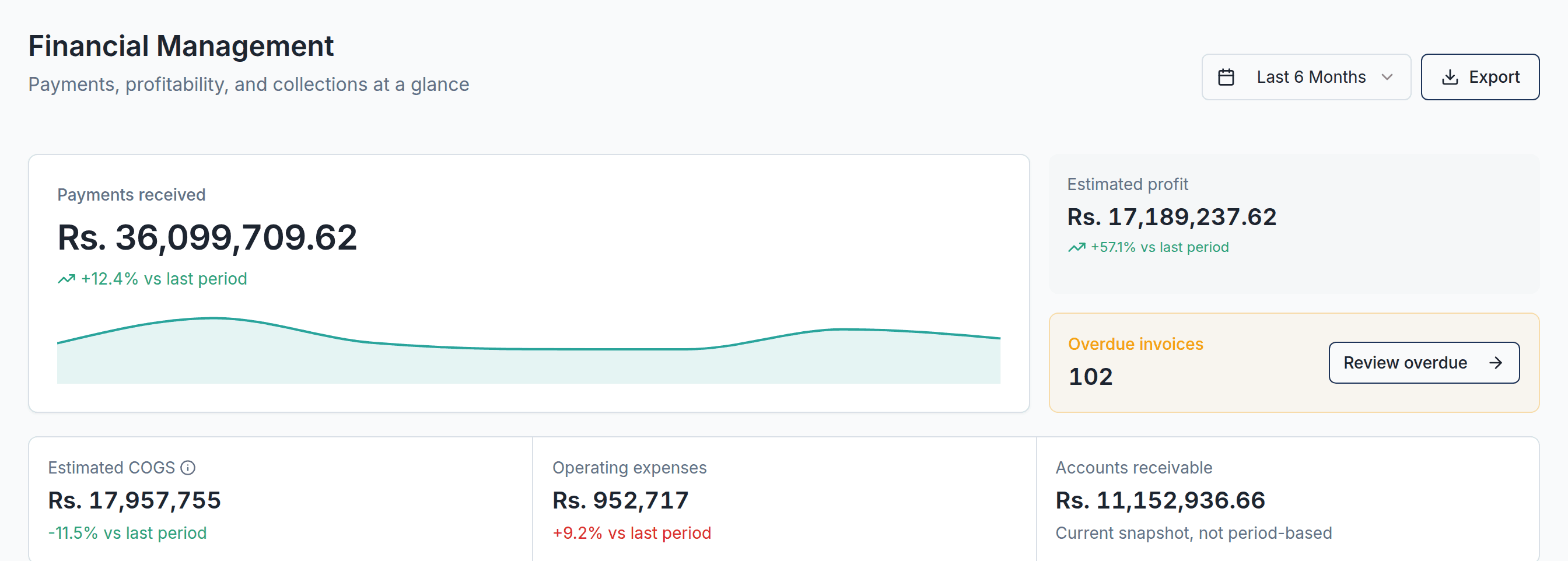
- Payroll deducts unpaid leave and loan installments
- Profit includes your operating expenses
- Income tax estimate under FBR IRIS codes
- See what is on the shelf and what is already promised
- Earliest expiry goes out first; expired stock cannot be sold
- Move stock between warehouses in one step
Follow one order from booking to payment.
Each step updates stock, the invoice and the customer's balance by itself. Nobody types the same sale into three registers.
Al-Madina Traders, Gulbergowes Rs. 12,400 before this order.Sample data
BookedORD-2026-0142
The booker books 40 cartons on the Tuesday route, from their phone. Credit limit checked.
- Available stock
- 640 cartons
- Customer owes
- Rs. 12,400
ApprovedStock reserved
40 cartons are set aside in the warehouse and a draft invoice is created.
- Available stock
- 600 cartons
- Customer owes
- Rs. 12,400
DispatchedTrip sheet
The order goes on a delivery trip with a driver and vehicle. Stock leaves the warehouse.
- Available stock
- 600 cartons
- Customer owes
- Rs. 12,400
DeliveredINV-2026-0418
The invoice for Rs. 84,600 is issued and the customer's account is debited.
- Available stock
- 600 cartons
- Customer owes
- Rs. 97,000
PaidPayment
Rs. 50,000 is received against the invoice and the ledger is credited.
- Available stock
- 600 cartons
- Customer owes
- Rs. 47,000
Everything a distributor needs, in one system.
No separate tools for sales, stock, accounts and staff. Everything below works together from day one.
Order booking
Book, approve, ship and deliver orders, with credit checks at every step.
Invoices and payments
Invoices numbered per year, payments matched to the invoice they settle.
Stock and warehouses
Live stock across warehouses, down to batch and expiry date.
Purchasing
Purchase orders to suppliers, received in full or in parts, with supplier bills.
Delivery trips
Orders bundled into trips with a driver, a vehicle and a route note.
Ledger and expenses
Every invoice, payment, bill and expense posts itself to the books.
Field sales routes
Areas visited on set weekdays, substitute bookers, coverage and targets.
Sub-distributors
Supply your sub-distributors and keep their accounts in the same system.
Attendance and payroll
Attendance, leave, employee loans and monthly payroll in the same books.
Income tax estimate
Business income tax laid out under FBR IRIS codes, from your own records.
Reports and exports
Sales and financial dashboards, branded PDFs and Excel exports.
Built for how distribution runs in Pakistan.
- Rupees and local time
- Amounts in Rs. and reports on Pakistan time by default. Each business can set its own country and currency.
- Your details on every invoice
- Your logo, NTN, STRN, bank details and invoice terms printed on every invoice.
- Sales tax per product
- Standard, zero-rated and exempt tax codes per product, with exemption certificates per customer.
- Income tax under IRIS codes
- A business income tax estimate for tax years 2025 and 2026, finalised and exported for your adviser.
Documents, printed with your branding
- Sales invoice
- Order confirmation
- Delivery trip sheet
- Payslip
- Purchase order
- Supplier bill
- Customer statement
- Supplier statement
- Sub-distributor invoice
- Sub-distributor statement
Excel exports of 19 lists, with the same filters you set on screen.
Questions owners ask.
Who is Vdistro for?
Goods distributors and wholesalers, such as FMCG and pharma distributors, who run order bookers, warehouses and delivery vehicles and want sales, stock and accounts in one place.
Can order bookers use it on their phones?
Yes. Field roles get phone-friendly screens for today's route, booking orders and marking visits. Office staff use the same system on desktop.
Can I run more than one business?
Yes. One login can belong to several businesses. Each business keeps its own products, customers, stock and books, and you switch between them in a click.
Does Vdistro file my income tax return?
No. It prepares an estimate of business income tax under FBR IRIS return codes from your own records, which you or your tax adviser use to file on IRIS.
Can my customers see their own orders and invoices?
Yes. Customers can sign in with their email or customer code and see only their own orders and invoices.
Can I control what each staff member sees?
Yes. Give each person a role, such as order booker, inventory manager or finance manager, and they only see what that role needs. Each business's records stay separate, and every PDF or Excel download is logged.
How much does it cost?
Pricing is shared on the demo call, once we understand your business.
Book a demo.
See Vdistro with your own products, routes and team in mind. Tell us about your business and we will set up a time.